Shared hosting
Setting up a mail client
To read and send mail in a mail app, enter the server settings from this article.
The exact settings for your mailbox are in the panel: "Mail" -> "Mailboxes" -> mailbox -> "Setup guide" (tabs "General", "Thunderbird", "Outlook", "The Bat!").
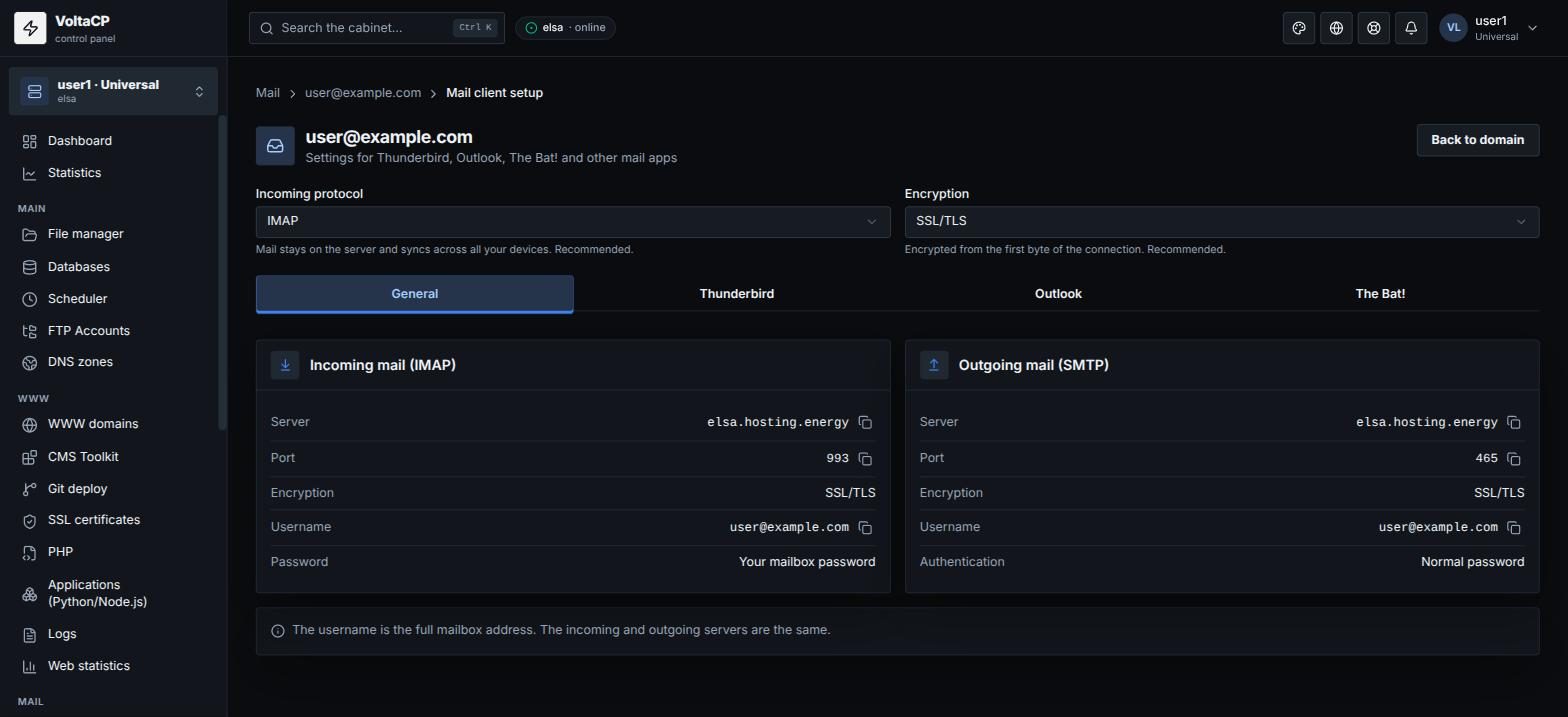
Incoming mail (IMAP, recommended)
- Server:
elsa.hosting.energy - Port: 993
- Encryption: SSL/TLS
- Username: the full mailbox address, for example
alex@example.com(not "alex") - Password: the mailbox password
Outgoing mail (SMTP)
- Server:
elsa.hosting.energy - Port: 465
- Encryption: SSL/TLS
- Username: the full mailbox address
- Authentication: normal password
The incoming and outgoing servers are the same. If your mail app asks you to choose a protocol, choose IMAP: messages stay on the server and sync across all your devices.
If mail does not arrive
- Check whether the mailbox is full: when the quota is reached, new messages are rejected. Delete unneeded messages or increase the quota: mailbox -> "Settings" -> "Storage quota".
- If your mail app complains about the certificate, check that the server is set to exactly
elsa.hosting.energy.