Site settings (WWW domain)
All site settings are in "WWW" -> "WWW domains": click the site. The settings are split into tabs.
How to add an alias domain
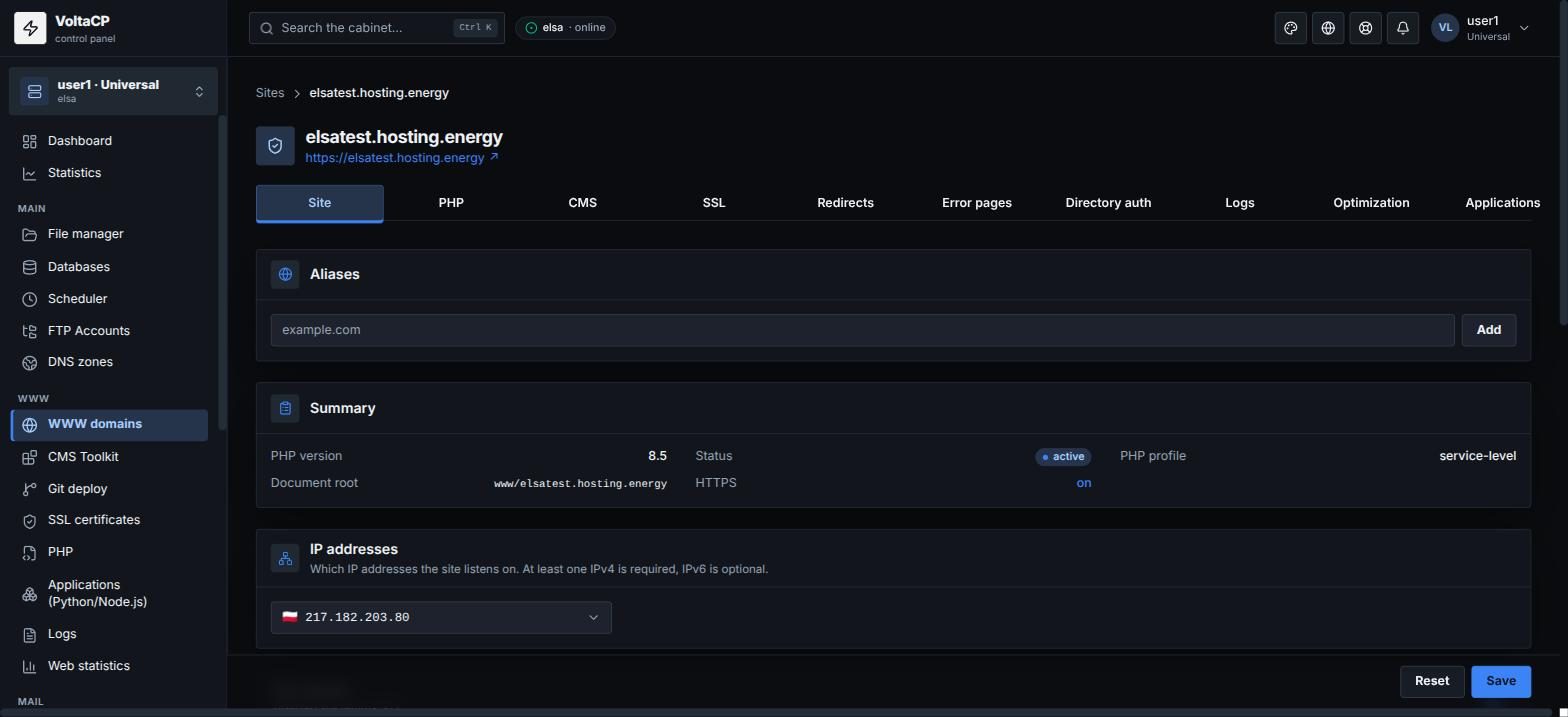
To open the site on an extra domain too (for example www.example.com), enter it on the "Site" tab in the "Aliases" field.
How to redirect to www or non-www
On the "Site" tab, in "Canonical host (www)", choose "To www", "To non-www" or "No redirect". The site will send a 301 redirect to the chosen domain variant.
How to enable human-readable URLs for WordPress, Laravel, etc.
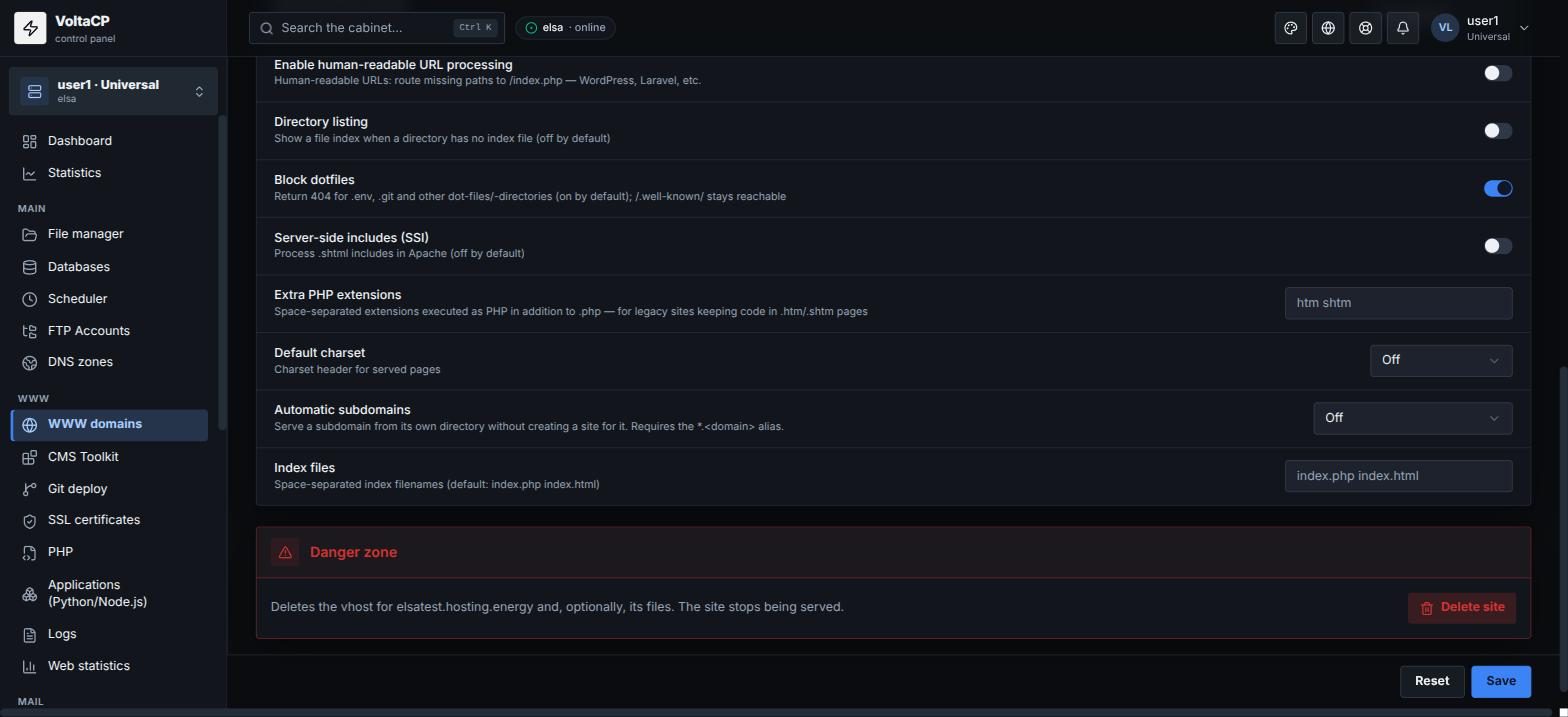
On the "Site" tab, turn on "Enable human-readable URL processing". Paths that do not exist will be passed to /index.php.
How to disable a site temporarily
On the "Site" tab, clear "Site enabled". A disabled site returns a 503 error.
How to change the site's directory or IP
- The directory is set in "Document root", relative to the home directory. Empty =
www/<domain>. - The site's IP addresses are set in the "IP addresses" block. At least one IPv4 is required, IPv6 is optional.
Good to know about the "Site" tab
- Default index files:
index.php index.html. Enter other names in "Index files", separated by spaces. - If a directory has no index file, the file list is not shown. To show it, turn on "Directory listing" (off by default).
- Files starting with a dot (
.env,.gitand others) return 404: "Block dotfiles" is on by default. - To run files with other extensions as PHP (for example
htm html), list them in "Extra PHP extensions". - To process
.shtml, turn on "Server-side includes (SSI)"; list other SSI extensions in "Extra SSI extensions". - The charset header for pages is set in "Default charset".
- Subdomains from directories, without creating a separate site, are turned on with "Automatic subdomains" (see the article "How to create subdomain(s)").
How to change the PHP version
The site's PHP version is chosen on the "PHP" tab. php.ini settings and extensions are set in the "PHP" section for the whole service.
How to enable HTTPS
On the "SSL" tab, issue a certificate with "Issue SSL" (or "Reissue") and turn on the switches you need: "Serve over HTTPS", "Redirect to HTTPS", "HSTS".
How to speed up a site
On the "Optimization" tab:
- turn on "gzip compression" and set the "gzip compression level": 1 - fast, 9 - maximum compression, we recommend about 5;
- turn on "Static asset browser cache" and set the "Cache duration" - these are caching headers for images, CSS, JS;
- "Redirect micro-cache" - a very short cache of 301/302 responses to protect against traffic spikes.
Where to find the rest
- 301/302 redirects from a specific path to another URL - "Redirects" tab.
- Custom pages for error codes (404, 500, etc.) - "Error pages" tab.
- Login and password access to a site directory - "Directory auth" tab.
- Site logs - "Logs" tab.
- The CMS installed on the site and this site's Python/Node.js applications - "CMS" and "Applications" tabs.
How to delete a site
Deletion is at the bottom of the "Site" tab, in the "Danger zone" block. When deleting, you can tick "Also delete site files"; without it, the files are kept.