Shared hosting
Installing an SSL certificate on WordPress
To run WordPress over HTTPS, issue a certificate and switch the site itself to https addresses:
- Issue the certificate: "WWW domains" -> site -> "SSL" tab -> "Issue SSL" (details in "How to get a free Let's Encrypt SSL certificate?").
- In the WordPress admin, open "Settings" -> "General" and replace
http://withhttps://in "WordPress Address (URL)" and "Site Address (URL)". - Turn on "Redirect to HTTPS" on the site's "SSL" tab.
- Replace http links with https in the content and theme, by hand or with a plugin (for example "SSL Insecure Content Fixer" or "Really Simple SSL").
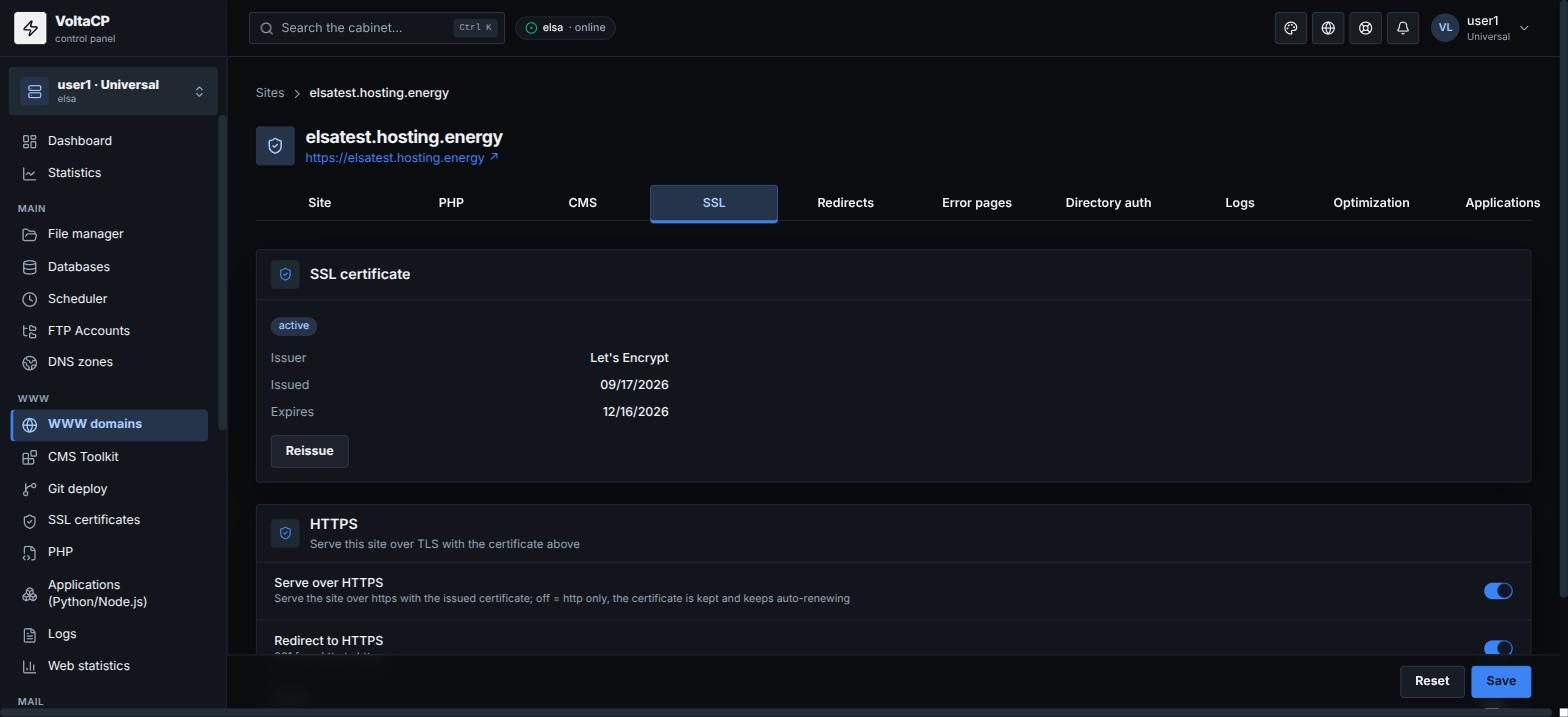
If after turning on HTTPS you get an endless redirect or the admin does not open, add this to wp-config.php before the line /* That's all, stop editing! */:
define('FORCE_SSL_ADMIN', true);
if (isset($_SERVER['HTTP_X_FORWARDED_PROTO']) && $_SERVER['HTTP_X_FORWARDED_PROTO'] == 'https') {
    $_SERVER['HTTPS'] = 'on';
}
You can open the file in "File manager" (the "Edit" button).
If WordPress was installed with "CMS Toolkit", you can manage it (wp-admin login, updates) right from the panel.