Shared hosting
Where to find things in the VoltaCP control panel
This cheat sheet helps you quickly find the right section of the control panel.
The panel menu on the left is split into groups. At the top there is a search across the panel (Ctrl+K), a language switch and a notification bell.
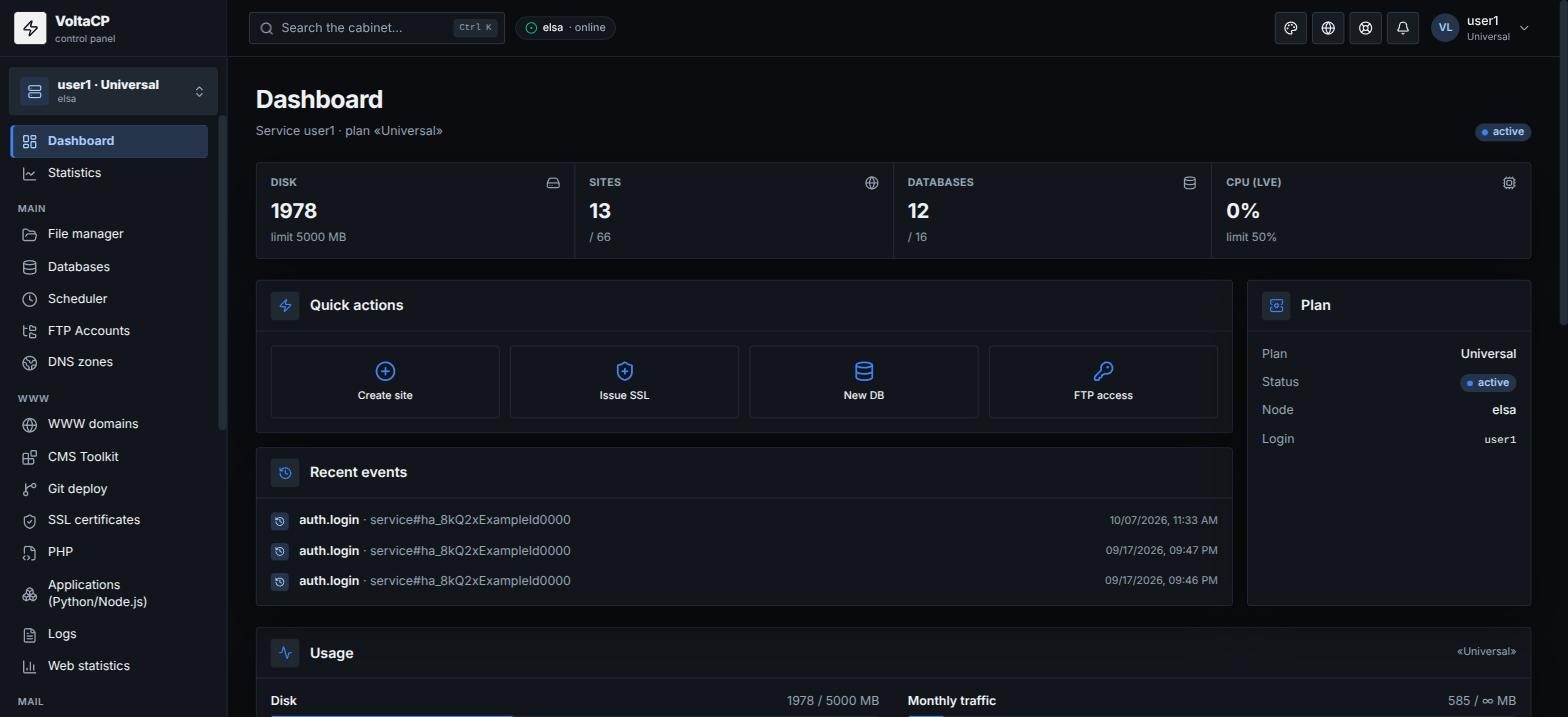
How to see your plan, limits and load
- Plan, service status, resource usage, plan limits and quick actions are on the "Dashboard".
- Graphs of the account's resource usage are in "Statistics".
How to create and set up a site
- Create and set up a site in "WWW" -> "WWW domains": aliases, PHP, SSL, redirects, error pages, directory protection, logs, optimization.
- Install WordPress and other CMSs in "WWW" -> "CMS Toolkit".
- Deploy a site from a Git repository: "WWW" -> "Git deploy".
- SSL: "WWW" -> "SSL certificates" - issue Let's Encrypt certificates and import your own.
- PHP versions, php.ini settings and extensions: "WWW" -> "PHP".
- Python and Node.js applications: "WWW" -> "Applications (Python/Node.js)".
- Site access and error logs: "WWW" -> "Logs"; visitor statistics: "WWW" -> "Web statistics".
Where to find files, databases and DNS
- Account files (upload, edit, archives, permissions, virus scan): "Main" -> "File manager".
- MySQL/MariaDB databases, database users, phpMyAdmin, dump and import: "Main" -> "Databases".
- Cron jobs: "Main" -> "Scheduler".
- Extra FTP access: "Main" -> "FTP accounts".
- DNS records of domains served by our NS: "Main" -> "DNS zones".
How to set up mail
- Mail domains, aliases, DKIM, handling of unknown addresses: "Mail" -> "Mail domains".
- Mailboxes, quotas, filters and forwarding, autoresponder, webmail: "Mail" -> "Mailboxes".
Where to find access, password and API
- SSH connection details and SSH keys: "Settings" -> "SSH access".
- Keys for the API and for connecting AI assistants: "Settings" -> "API Keys & MCP".
- Email, interface language, password change: "Settings" -> "Service settings".
- IP addresses of the service: "Settings" -> "IP addresses".
How to restore data from a backup
- From the hosting's daily backups: "Tools" -> "Restore from shared backups".
- Your own backups to your storage (S3/SFTP/FTP) are set up in "Tools" -> "My backups"; restore from them in "Restore from my backups".
To run commands in the account console right from the browser, use "Tools" -> "Run a command".
Where to find action and login history
- Your actions in the panel: "Log" -> "Events".
- Panel login history: "Log" -> "Logins".
- Operation results: "Log" -> "Notifications".
Common mix-ups
- "WWW domains" is a site on the hosting (directory, PHP, SSL, redirects). Domain renewal and registration are in the billing panel.
- DNS records are edited in "DNS zones", not in "WWW domains". If a domain uses third-party NS (for example Cloudflare), edit the records there.
- "Mail domains" is the mail domain; "Mailboxes" are specific addresses like user@domain.
- Database users are inside the database: "Databases" -> database -> "Users" section.