Shared hosting
How to add your own SSL certificate?
If you do not have your own certificate, you can get a free Let's Encrypt certificate (see "How to get a free Let's Encrypt SSL certificate?").
To install a purchased certificate:
- Open "WWW" -> "SSL certificates".
- Click "Import".
- Choose the "Domain".
- Paste (or choose as a file):
- "Certificate (PEM)" - the domain certificate (
.crtfile); - "Private key (PEM)" - the certificate key (
.keyfile); - "Intermediate / chain certificate" - the CA bundle, if the certificate authority issued it separately.
- "Certificate (PEM)" - the domain certificate (
- Click "Import".
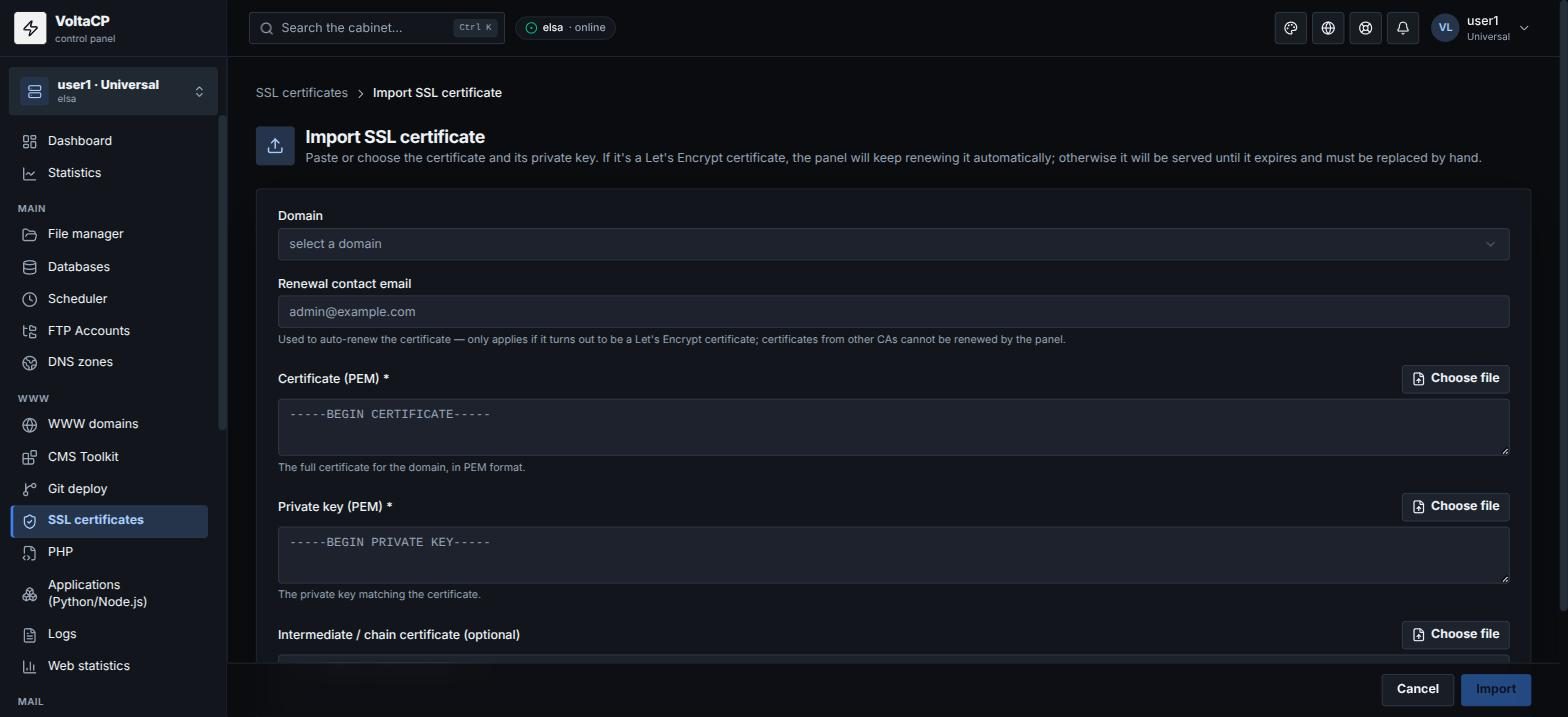
There must be no spaces or empty lines between the certificates in the chain.
The certificate is attached to the site automatically. Check on the site's "SSL" tab that "Serve over HTTPS" is on.
The panel does not renew certificates from third-party certificate authorities: import a new certificate before the old one expires. You can see the expiry date in "SSL certificates", column "Expires".