Shared hosting
How to change php.ini options?
If your site runs short of memory, execution time or upload size, this is usually fixed in php.ini. The main php.ini settings are changed in the panel. You do not need SSH.
How to change settings in the panel
- Open "WWW" -> "PHP".
- Select the PHP version your site runs on (you can see the site's version in the "WWW domains" list, PHP column).
- Open the "php.ini" tab.
- Change the settings you need and click "Save profile".
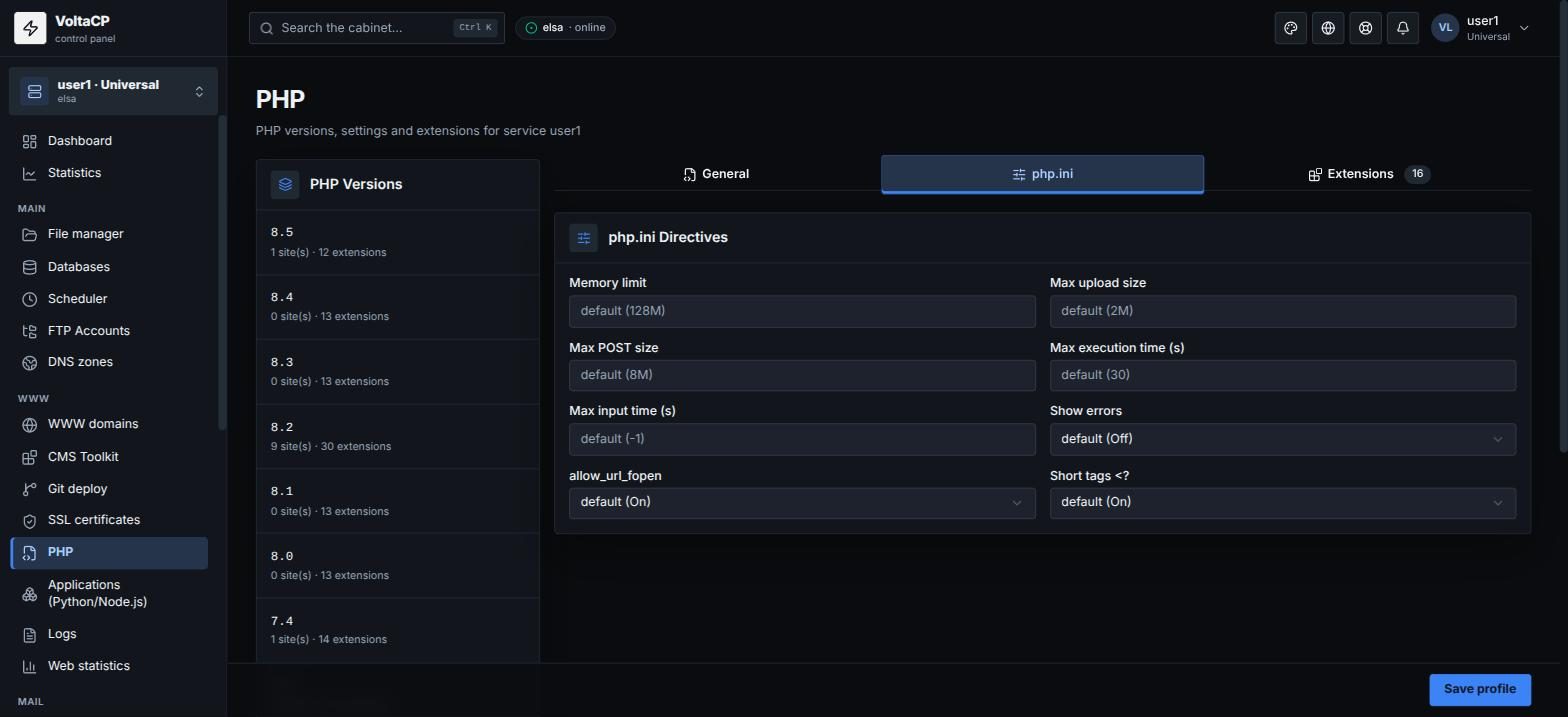
The settings apply to all sites on this PHP version in your service.
Settings available in the panel:
- "Memory limit" (
memory_limit) - "Max upload size" (
upload_max_filesize) - "Max POST size" (
post_max_size) - "Max execution time (s)" (
max_execution_time) - "Max input time (s)" (
max_input_time) - "Max input variables" (
max_input_vars) - "Max file uploads" (
max_file_uploads) - "Show errors" (
display_errors) allow_url_fopen- "Short tags <?" (
short_open_tag) - "Timezone" (
date.timezone)
How to set another directive for one site
You can set other directives for a single site in the .htaccess file in the site directory, for example:
php_value max_input_nesting_level 128
php_flag display_errors on