How to keep emails out of spam? DKIM signature and SPF
Recipients' mail servers check whether a server is allowed to send mail on behalf of your domain. DKIM and SPF are used for this. Without them, emails go to spam or get rejected more often.
- DKIM - a digital signature of the email made with your domain's key. The recipient checks the signature against the public key in DNS.
- SPF - a TXT record in DNS with the list of servers allowed to send mail on behalf of the domain.
- DMARC - a TXT record
_dmarcthat tells the recipient what to do with emails that fail the check.
What the hosting does automatically
- A DKIM key is created for every mail domain and every site. You do not need to generate anything by hand. Emails from mail clients and from PHP
mail()are signed. - If the domain uses our NS, DKIM and SPF records are added to the domain's DNS zone automatically.
How to view and publish the DKIM record
- Open "Mail" -> "Mail domains".
- Open the domain and go to the "DKIM" tab.
- If the domain's DNS zone is with us, click "Publish to DNS". The record is added to the zone.
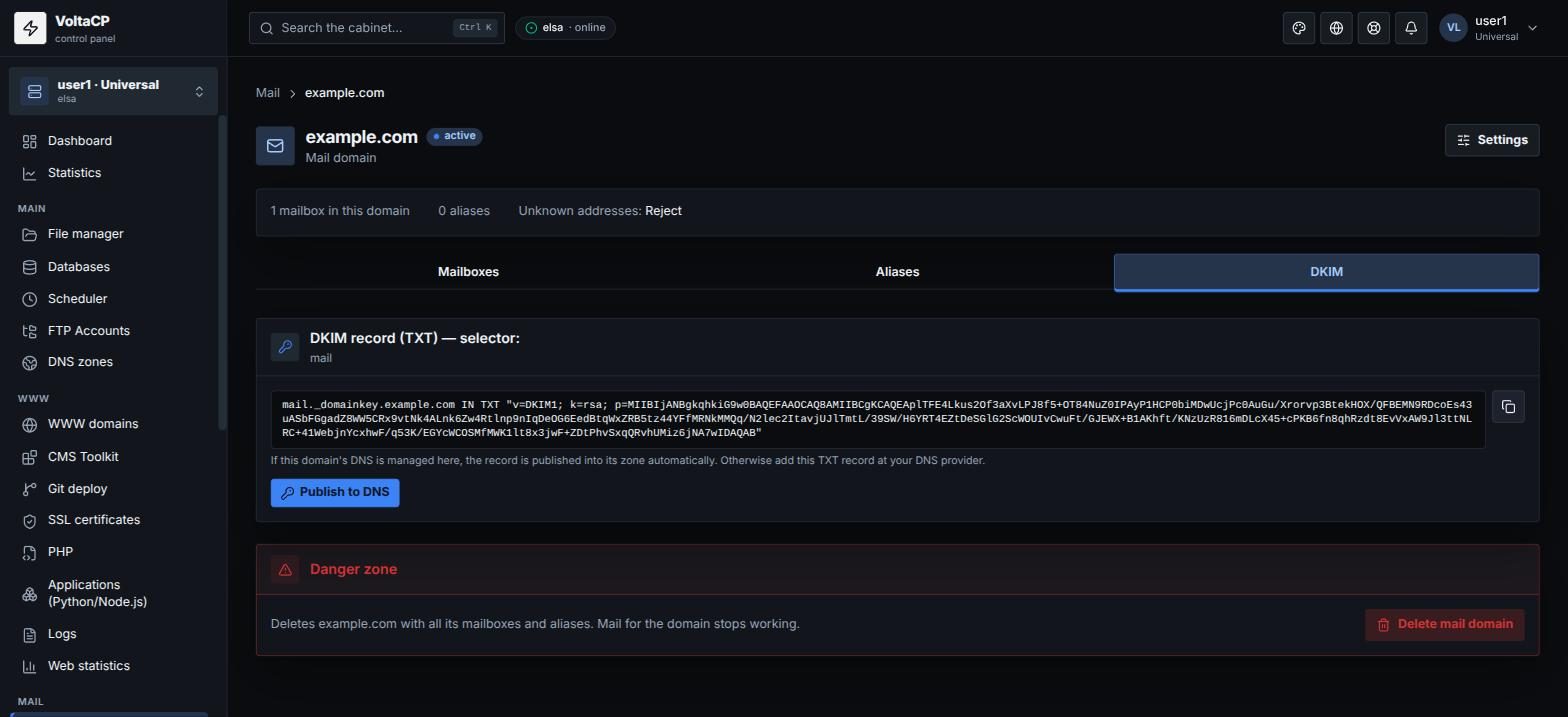
If the domain's DNS is with another provider (including Cloudflare)
In this case the records will not get there automatically, so add them by hand:
Aformail.example.compointing to IP217.182.203.80;MXof the domain pointing tomail.example.com;SPF(TXT), for examplev=spf1 a mx ip4:217.182.203.80 ~all;DKIM(TXT) from the "DKIM" tab of the mail domain (name likemail._domainkey.example.com).
In Cloudflare, turn off proxying (grey cloud) for mail-related records (for example mail). The domain must have only one v=spf1 SPF record.
How to check
Send an email to Gmail and open "Show original". You should see SPF: PASS and DKIM: PASS.
Outgoing mail limit
The number of outgoing emails is limited by your plan (see the "Dashboard", "Outgoing emails" line). When the limit is exceeded, emails are not sent for a while. For mass mailings, use specialized mailing services.
Sending through external SMTP servers
If your site sends email through an external SMTP server (for example Gmail) and gets a connection error, contact technical support. Sending through our server (elsa.hosting.energy, port 465, mailbox login and password) works without restrictions, except the plan limit.