How to create subdomains?
Hosting.Energy lets you create an unlimited number of subdomains. There are two ways to make one: as a separate site, or with automatic subdomains served from directories.
Option 1. A separate site
Create the subdomain as a normal site: "WWW" -> "WWW domains" -> "Create site", and in the "Domain" field enter, for example, blog.example.com. This subdomain gets its own settings, PHP and SSL.
Option 2. Automatic subdomains
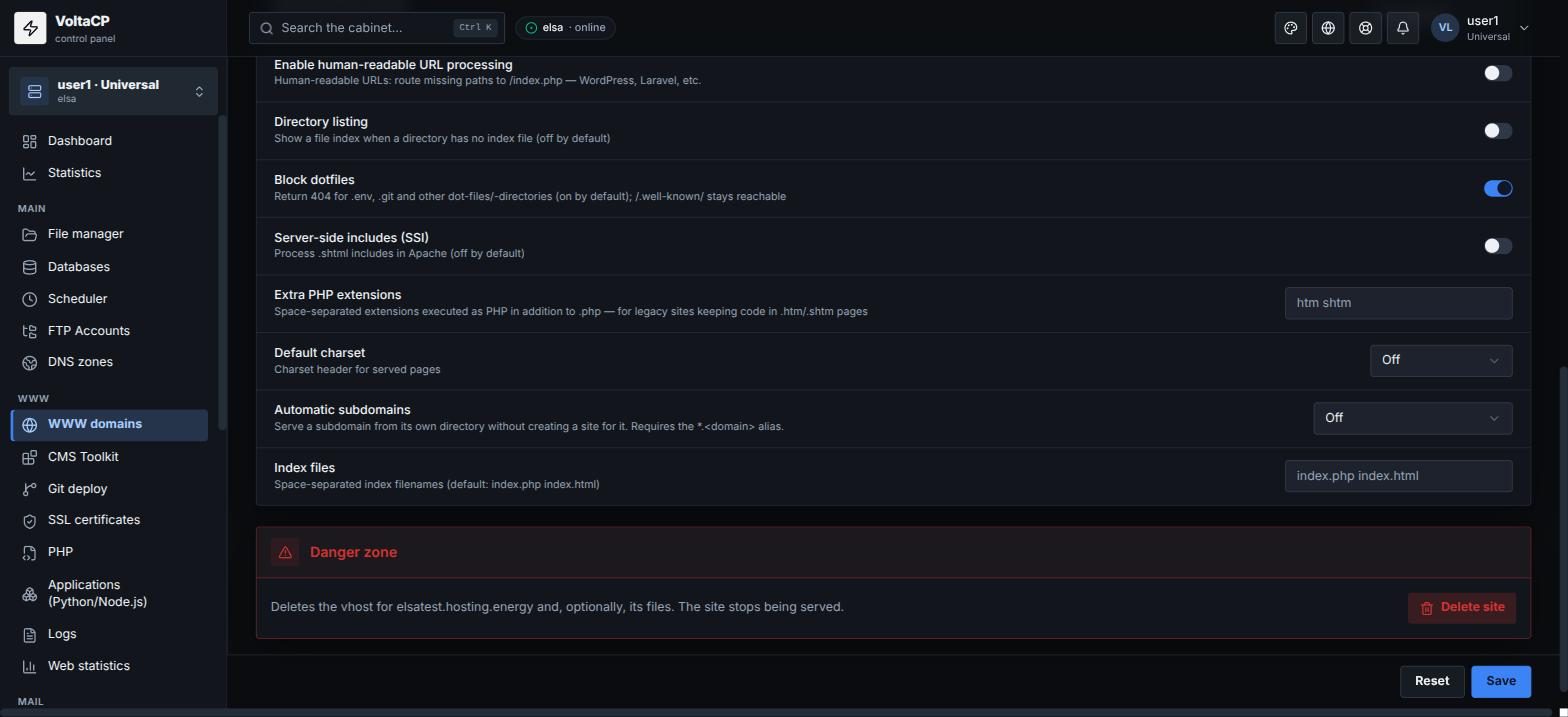
Automatic subdomains serve subdomains from directories, without creating a separate site for each one.
- Open "WWW domains" and click the main site.
- In the "Aliases" block, add the alias
*.example.com(required). - In the "Automatic subdomains" field, choose a mode:
- "Separate directory (www/docs.example.com)" - files of the subdomain
docs.example.comare in thewww/docs.example.comdirectory; - "Subdirectory of the site (www/example.com/docs)" - files of the subdomain
docs.example.comare in thewww/example.com/docsdirectory, and they are also available athttp://example.com/docs/.
- "Separate directory (www/docs.example.com)" - files of the subdomain
- Save the changes.
- Create the subdomain directory in the "File manager" according to the chosen scheme.
DNS and SSL for subdomains
Whichever option you choose, check DNS: the subdomain (or *) needs an A record pointing to the site IP. If the domain uses our NS, check it and add it if needed in "DNS zones" -> the domain zone. If the domain DNS is with another provider, add the record there.
For HTTPS on subdomains, issue a certificate with the names you need (or a wildcard). See "How to get a free Let's Encrypt SSL certificate?".