Shared hosting
How to create a mail domain and a mailbox
How to create a mail domain
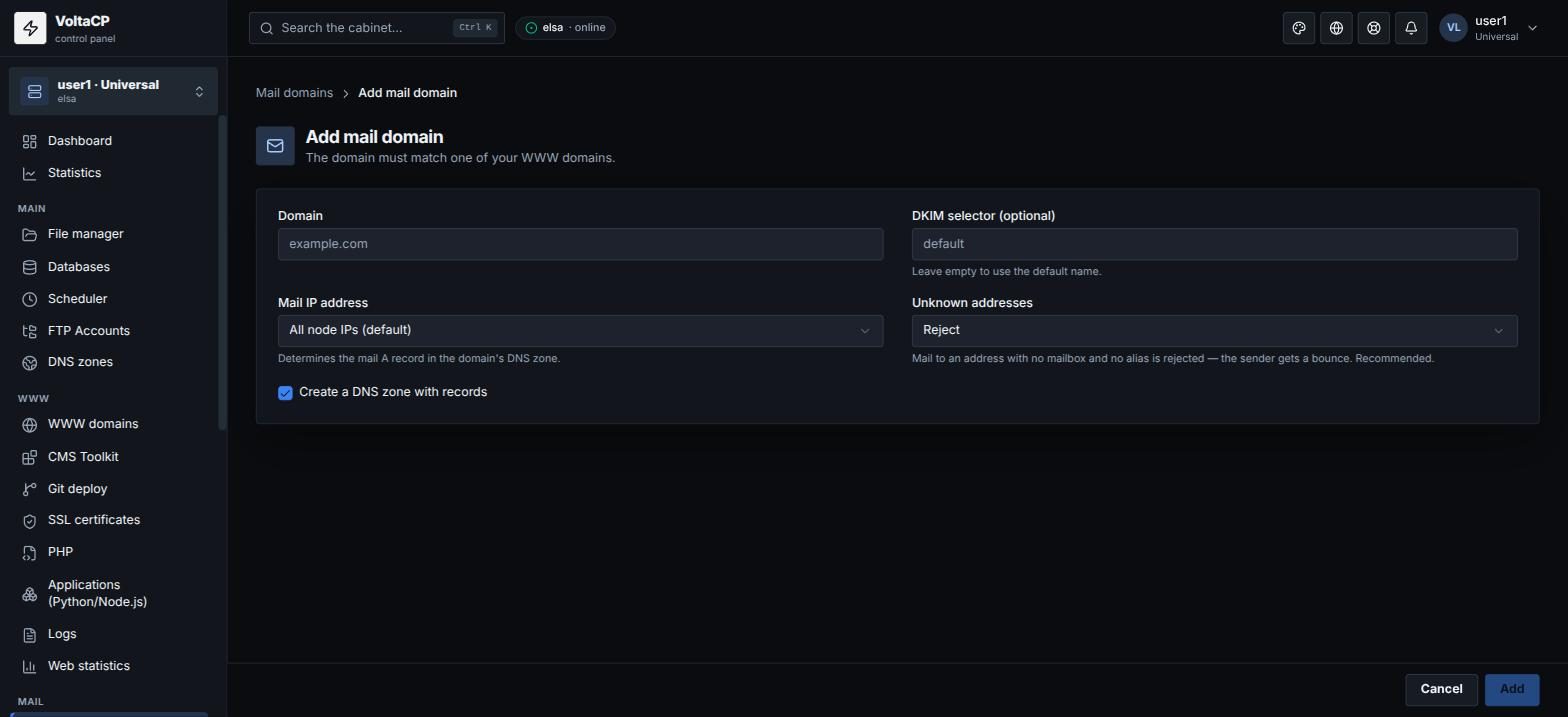
A mail domain is created for a domain that already has a site in "WWW domains".
- Open "Mail" -> "Mail domains".
- Click "Add domain".
- Enter the "Domain". You can leave "DKIM selector" empty.
- Keep "Create a DNS zone with records" checked if the domain uses our NS: MX, SPF and DKIM will be added automatically.
- Save.
How to create a mailbox
- Open "Mail" -> "Mailboxes" (or the mail domain -> the "Mailboxes" tab).
- Click "Create mailbox".
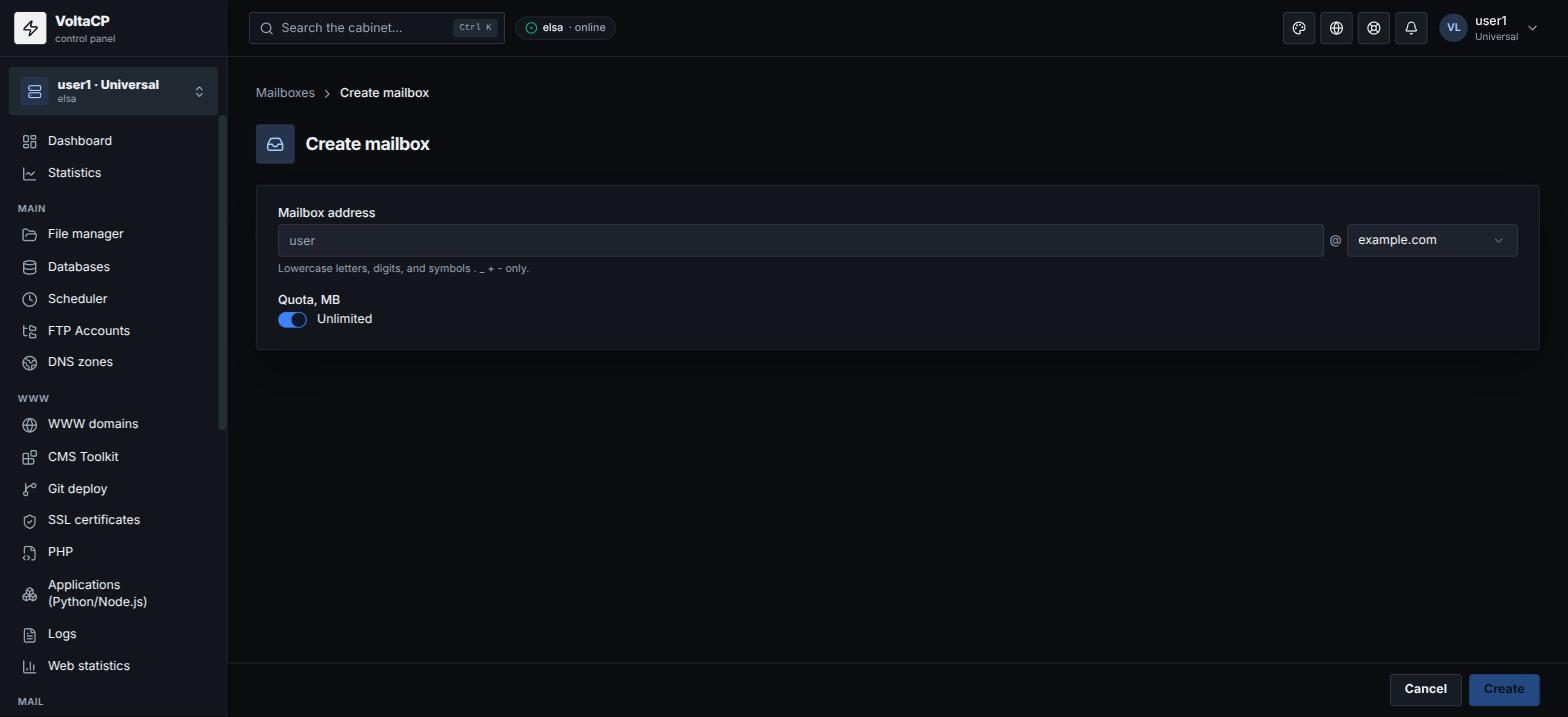
- Select the "Mail domain", enter the "Mailbox name (before @)" and, if needed, "Quota, MB" (0 or empty means no limit, within your plan).
- Save the password. It is shown only once.
Forgot the mailbox password: select the mailbox and click "Reset password".
Where to configure a mailbox
Click the mailbox in the list. The storage quota is changed on the "Settings" tab, sorting and forwarding of emails on the "Filters" tab. Extra addresses that deliver mail to this mailbox are added on the "Addresses" tab, and an automatic reply to incoming emails on the "Autoresponder" tab. Settings for mail clients are on the "Setup guide" tab.
See also the articles "Setting up a mail client", "How to open webmail?", "Mail forwarding, aliases, filters and autoresponder".