Shared hosting
Your own backups to your own storage
Besides the hosting's daily backups, you can set up automatic backups of sites and databases to your own storage: S3-compatible object storage, an SFTP or FTP server.
Add a backup destination
- Open "Tools" -> "My backups".
- In the "Backup destinations" block, click "Add destination".
- Choose the type and fill in the fields:
- "S3 / Object storage": "Bucket", "Region", "Endpoint" (for non-Amazon storage), "Access key ID", "Secret access key", "Base path";
- "SFTP": "Host", "Port", "Username", "Password", "Base path";
- "FTP": the same fields plus "Use TLS (FTPS)".
- Save.
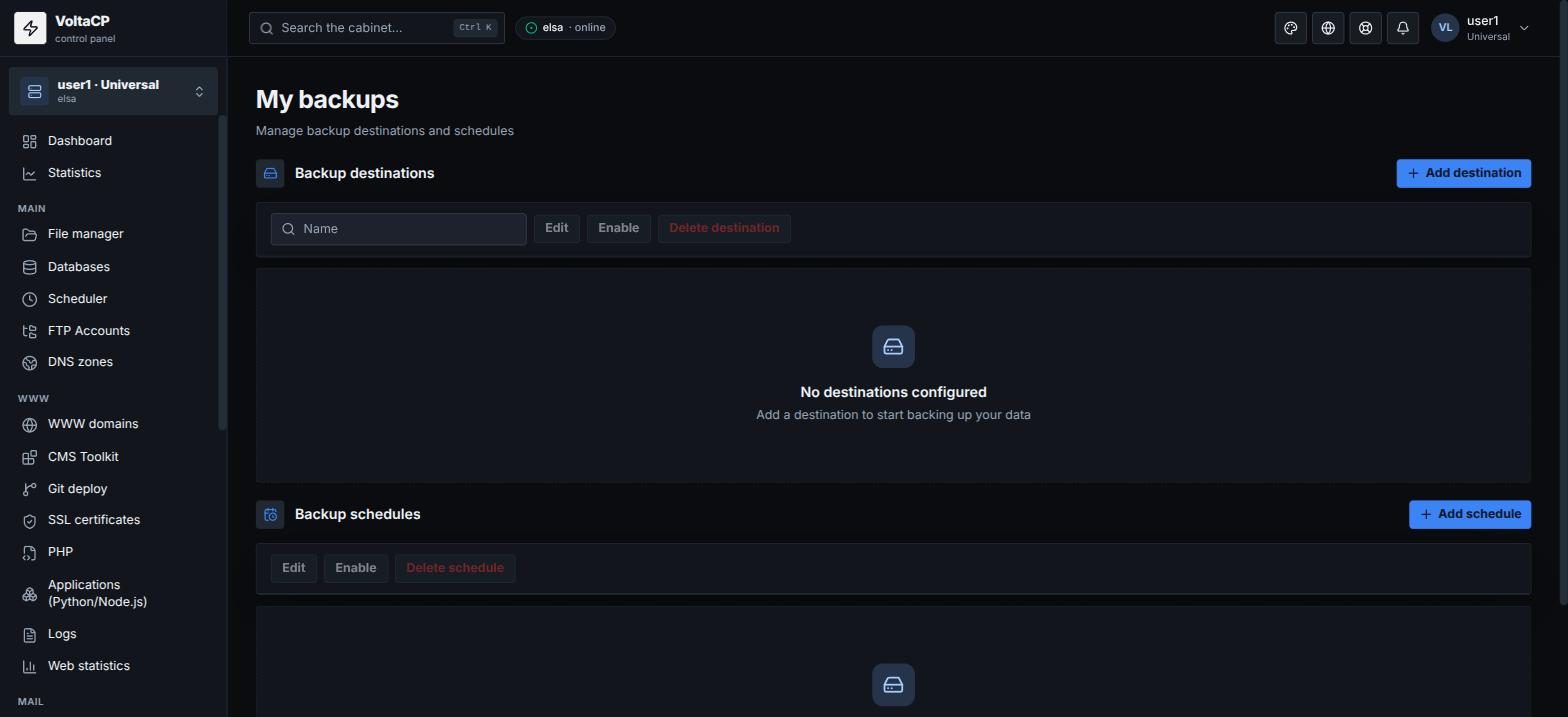
Add a schedule
- In the "Backup schedules" block, click "Add backup schedule".
- Choose the "Destination" and the start time ("Schedule (cron)": minute, hour, day, month, day of week).
- Tick "Include files" and/or "Include databases" (you can pick individual databases).
- Set how many copies to keep ("Retain (copies)").
- Save.
Backups are then created automatically on the schedule you set.
Restore from your own backups
- Open "Tools" -> "Restore from my backups".
- Choose the "Backup destination".
- Choose the snapshot you need (files or a database) and click "Restore".
Existing files or data may be overwritten during a restore.