Shared hosting
How to connect via FTP?
The easiest way to work with your hosting files is an FTP client: you can connect over FTP or over the more secure SFTP. Use any FTP client, for example FileZilla.
FTP settings
- Host:
elsa.hosting.energy(or your site address, if it points to our server) - Port: 21
- Login and password: of the FTP account created in "Main" -> "FTP accounts"
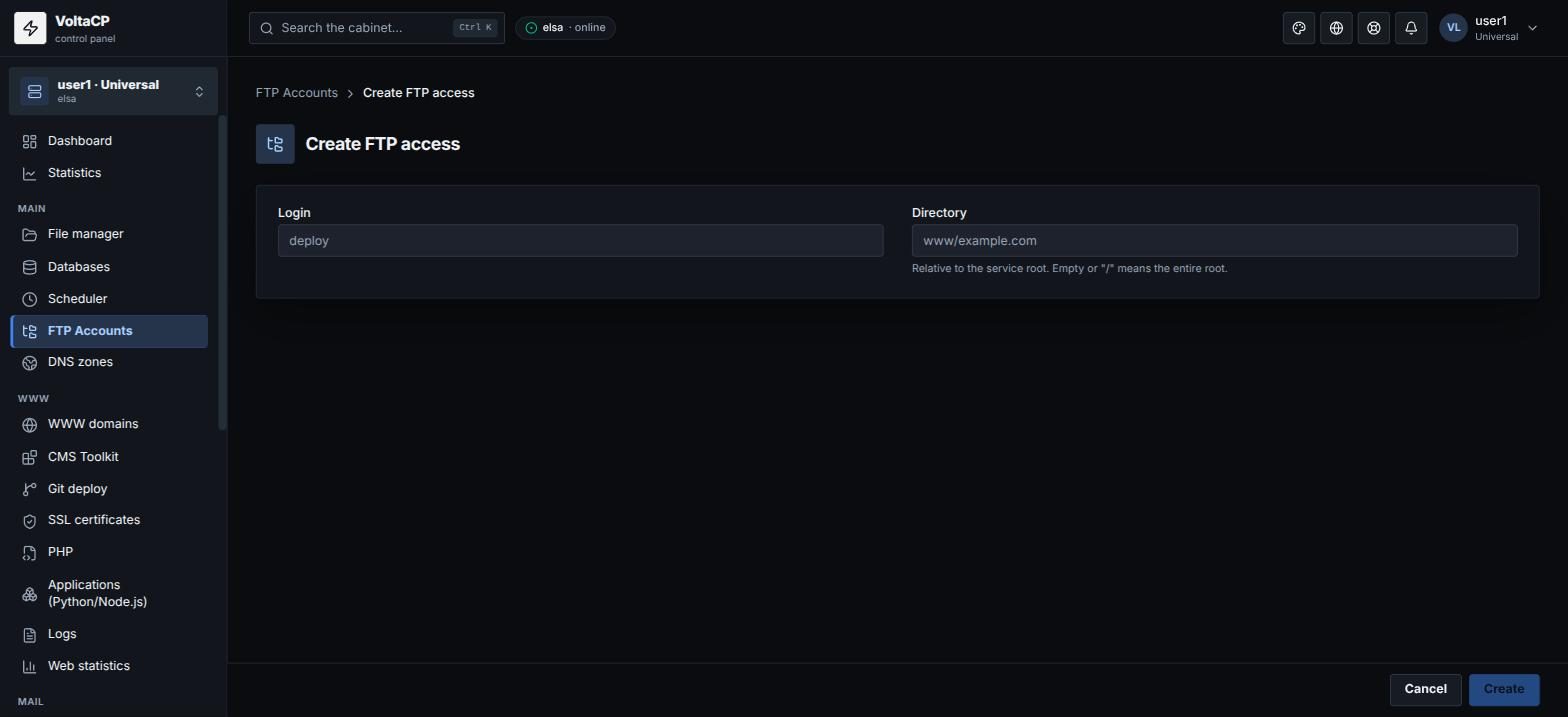
How to create an FTP account
- Open "Main" -> "FTP accounts".
- Click "Create access".
- Enter the "Login" and the "Directory" (relative to the home directory; empty or
/gives access to all account files). For example, for a developer of one site enterwww/example.com. - Save the password. It is shown only once.
Forgot the FTP account password? Select the account, click "Edit" and set a "New password".
SFTP (recommended)
SFTP is more reliable and more secure than FTP. Connection settings:
- Host:
elsa.hosting.energy - Port: 8399
- Login and password: of the hosting account (the same as for the panel)
Certificate
The server certificate is issued for elsa.hosting.energy. If you connect by your site's domain, the FTP client may warn about a name mismatch. Connect to elsa.hosting.energy instead.
If FTP is unstable
- Switch between active and passive mode in your FTP client.
- Use SFTP.
- Several failed login attempts in a row block your IP for a while. Check your login and password and wait.
- FTP does not resume uploads: if the connection drops, the file is uploaded again from the start.